
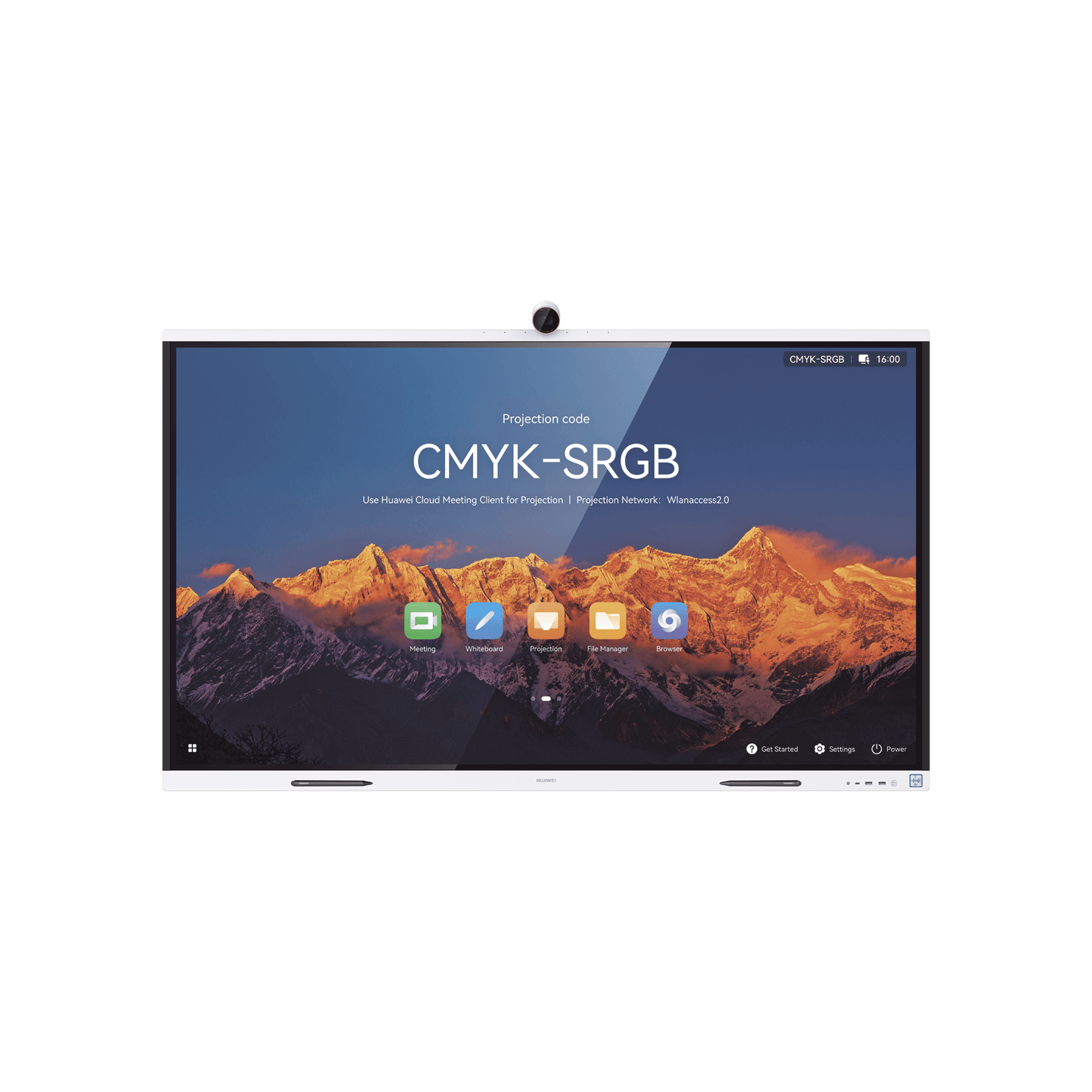
HUAWEI IdeaHub S2, Interactive Display for Smart Collaboration, 75\", 4K UHD, Harmony OS, Wi-Fi 6, Smart Camera, BYOM Functionality.


_10.20.23.png)
All in 1 design
- State-of-the-art hardware platform: 8-core dual-engine controller, boosting performance
- Ultra-narrow frame: Seamless zero-gap lamination and aerospace-grade nano-coating
- Dual System One-Touch Switching: Swapless OPS
- 4K soft light display: Anti-blue optical light, adaptable to ambient light.
- Smart Camera: Lens cover offers physical privacy protection
- Centralized ports on the front panel: NFC, Type-C, USB 3.0 and power button
BYOM (Bring Your Own Meeting) functionality
After starting a cloud meeting from a PC/Mobile phone, you can use the screen, camera, IdeaHub microphone and speaker. The IdeaHub does not require additional applications or OPS, which facilitates user operations with greater profitability.
_10.32.39.png)
_10.32.56.png)
Smart and Immersive HD Meetings
HD Video Meetings: Professional-Grade 4K Camera
It has dual H.264 + SIP protocols, HD hardware codec and fully updated on-premises conferencing.
1080p Cloud Meetings:
It adapts to major cloud meeting applications and supports 1080p audio and video and dual-stream meetings.
Powerful AI capabilities:
Voice tracking always keeps the speaker in the center. Auto-Framing automatically identifies the best angle for multiple participants.
_10.49.07.png)
_10.51.38.png)
Wi-Fi 6 for next-generation direct projection.
Based on innovative Wi-Fi, direct projection technology you just need to enable Wi-Fi on the IdeaHub and your PC/mobile phone, without connecting to the Internet. The IdeaShare app automatically detects the nearby IdeaHub to establish connections,1and auto-completes the projection code after the first letter. You can also use NFC or the projection option via the drop-down menu on a Huawei phone to enable projection in one step
More projection methods
- Wired projection for important occasions to deliver HD and stable experience
- IdeaShare app for daily work to increase connection and productivity
- IdeaShare Key for customer visits with plug-and-play functionality
Smart whiteboard for smooth writing
- Ultra-low 16ms write latency: Synchronous and accurate on-screen writing
- Handwriting Recognition: Converting your handwriting and drawings to digital forms
- Multiple Full Color Pen Thicknesses: Optional handwriting thickness and stick it on the whiteboard to jot down unlimited color options
- Full Screen Annotation: Take a snapshot of any page and
- Multi-touch gestures: Select, move, zoom and delete
- with gestures
- Remote Two-Way Collaboration: One tap to share whiteboard content for real-time collaboration
- Scan to go: Scan the QR code to remove the
- whiteboard content
- Co-authorship: Two people can write on the whiteboard at the same time
_10.58.27.png)
_11.01.04.png)
An Ecosystem with many applications
Open and fast integration, that meets all your office needs
One-click download of massive office applications
Open architecture: Adapts to the IdeaHub video hardware codec to provide a 1080p HD video conferencing experience.
Open SDK: Integrate the whiteboard and meeting SDK add-ons into enterprise office applications to make everyday business easier.
Enterprise-grade E2E security protection: End-to-end (E2E) chip-device-pipe-cloud protection and CC EAL5+ high-level security certification for global business systems
HiBoard as a welcome page and Smart O&M, everything in your hands.
Customizable Templates : Multiple built-in welcome page templates with a single tap to display.
One-click import of activity theme images.
IdeaManager device management platform: Remote management and control of multiple IdeasHub, including batch configuration, the update, shutdown and insertion into the bulletin board.
IdeaCare troubleshooting: One-click diagnosis of typical faults (licensing required)
_11.11.04.png)
_11.18.26.png)
Ordinary meeting room
Local workshop, remote meeting and business meeting. Wi-Fi 6 for direct projection | BYOM | Two-way collaboration | smart writing
_11.19.11.png)
Exhibition and demonstration
Corporate culture exhibition, welcome board and activity promotions 4K display | HiBoard | Notice board | aesthetic design
_11.21.00.png)
open area
Regular meeting, instant discussion and team building meeting Rolling Stand | Ultra-low write latency
Multi-gesture erase | QR code scanning to bring content
_11.22.21.png)
Multifunctional training room
Group discussion, employee development, Simulation Training and Live Training HD Sharing | Wi-Fi 6 for direct projection | Real-time annotation | Co-authorship
_11.22.29.png)
Executive Office
Remote interview, employee report and CXO business meeting Lens cover | Open ecosystem | IdeaHub Controller
_11.22.39.png)
Study room
Remote work and hybrid learning
4K High Definition Screen | Ultra-low write latency | HD smart cloud conference | 3D stereo sound
Specifications
Device x 1: 75 inches
Stylus Pens x 2: PET pen tip/non-slip pen body/magnetic attachment
Cable: power cable x 1
Resolution: 4K UHD (3840 x 2160)
Backlight type: D-LED
Screen lamination: Zero-gap bonding
Camera
Zoom Maximum viewing angle: 2x digital zoom
Video output resolution: 4K
Horizontal FoV; 80°
Television distortion<2%
Lens cover: √
Microphone
Sound pickup angle: 180°
Frequency domain: 100Hz-20kHz
Sound pickup distance: 12m
Optimized sound capture: sound source location, echo cancellation and automatic gain control
Write latency: 16ms
Smart writing: √
Touch sensing distance: ≤2mm
Native Meeting: Huawei Cloud Meeting, local conference
Dual Streams (Audio/Video + Data Sharing): Local Conference: 1080p 30fps + 1080p 30fps/4K 8fps
Huawei Cloud Meeting on-premise conference: 1080p 30fps + 1080p 30fps/4K 8fps
BYOM: √
Auto Framing: √
Smart tracking: √
Acoustic deflector: √
DNN* based dereverb: √
Dual Wi-Fi module: √
WiFi frequency: 2:4 GHz/5 GHz
Frequency domain: 100 Hz–20 kHz
Speaker unit: 4
Maximum Power: 40W
CPU: 8-core
RAM: 8GB
Flash: 64GB*
OS: Harmony OS/Windows 10**
Maximum power consumption: 420W
**Available storage space will be less than the indicated value, since the pre-installed software takes up a certain amount of space. **To use Windows 10, A computer with OPS plugin is required.
Video Input: 1 x HDMI (up to 4K)
Video Output: 1 x HDMI (up to 4K)
Audio Input: 1 x 3.5mm audio input, 1 x HD-AI
Audio Output: 1 x 3.5 mm audio output
Other ports: 3 x USB type A 3.0, 1 x USB Type C: 1 RJ45 (10/100/1000 Mbits/s LAN)